← BACK TO CARDS
freewaresketchup2026
Solid Panel
Problem
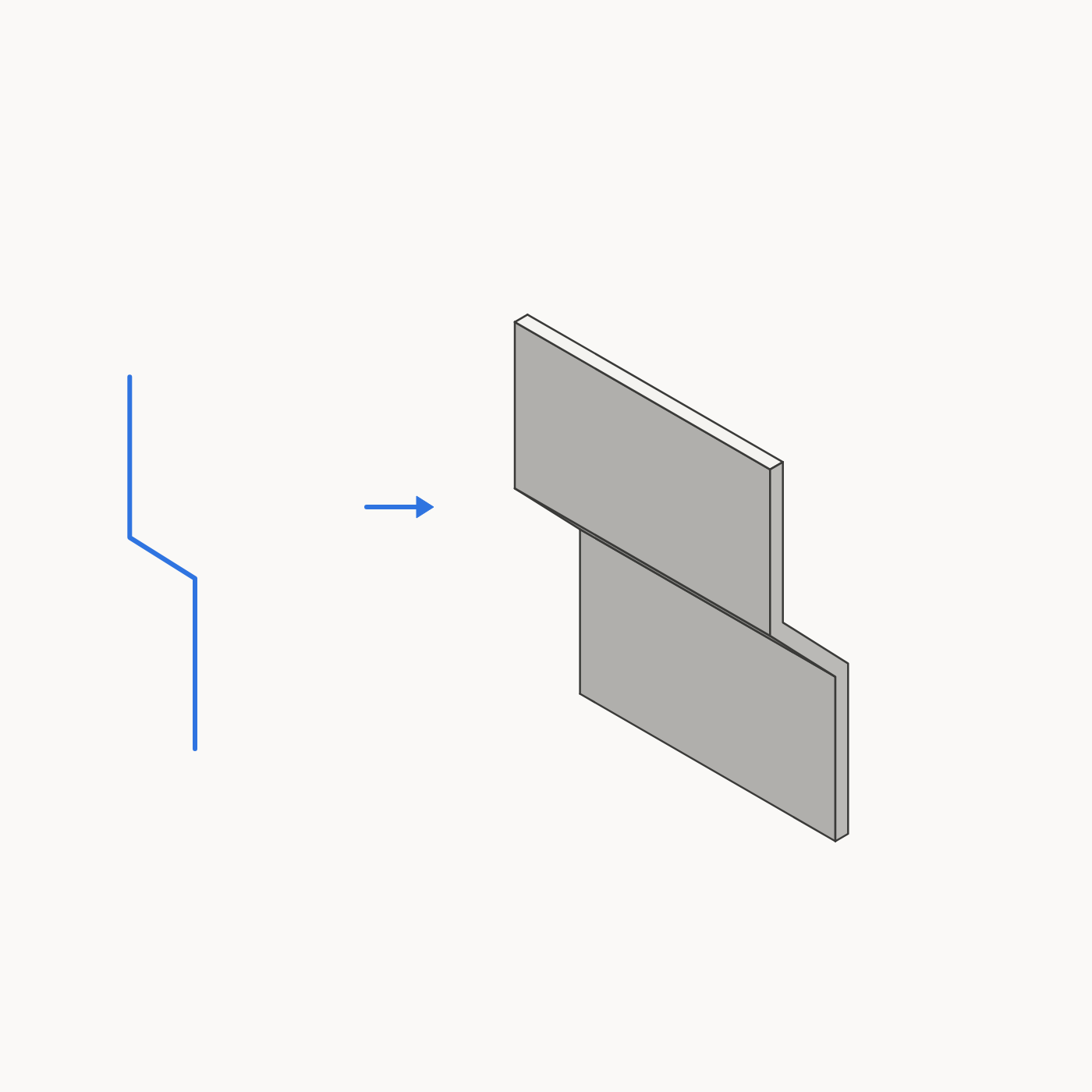
Turning a flat shape or a few lines into a solid panel takes several manual steps, and the result can end up merged with the geometry around it.
Approach
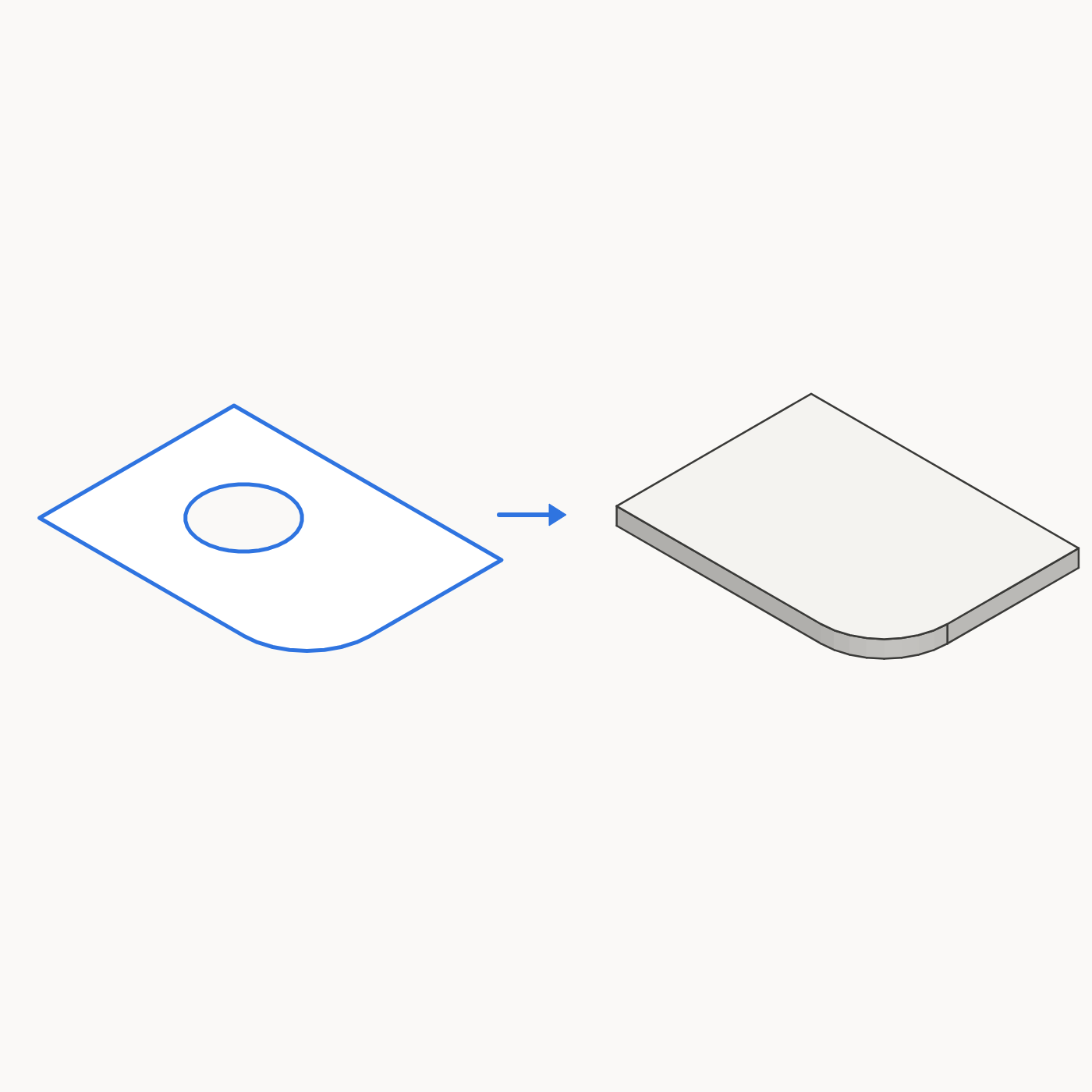
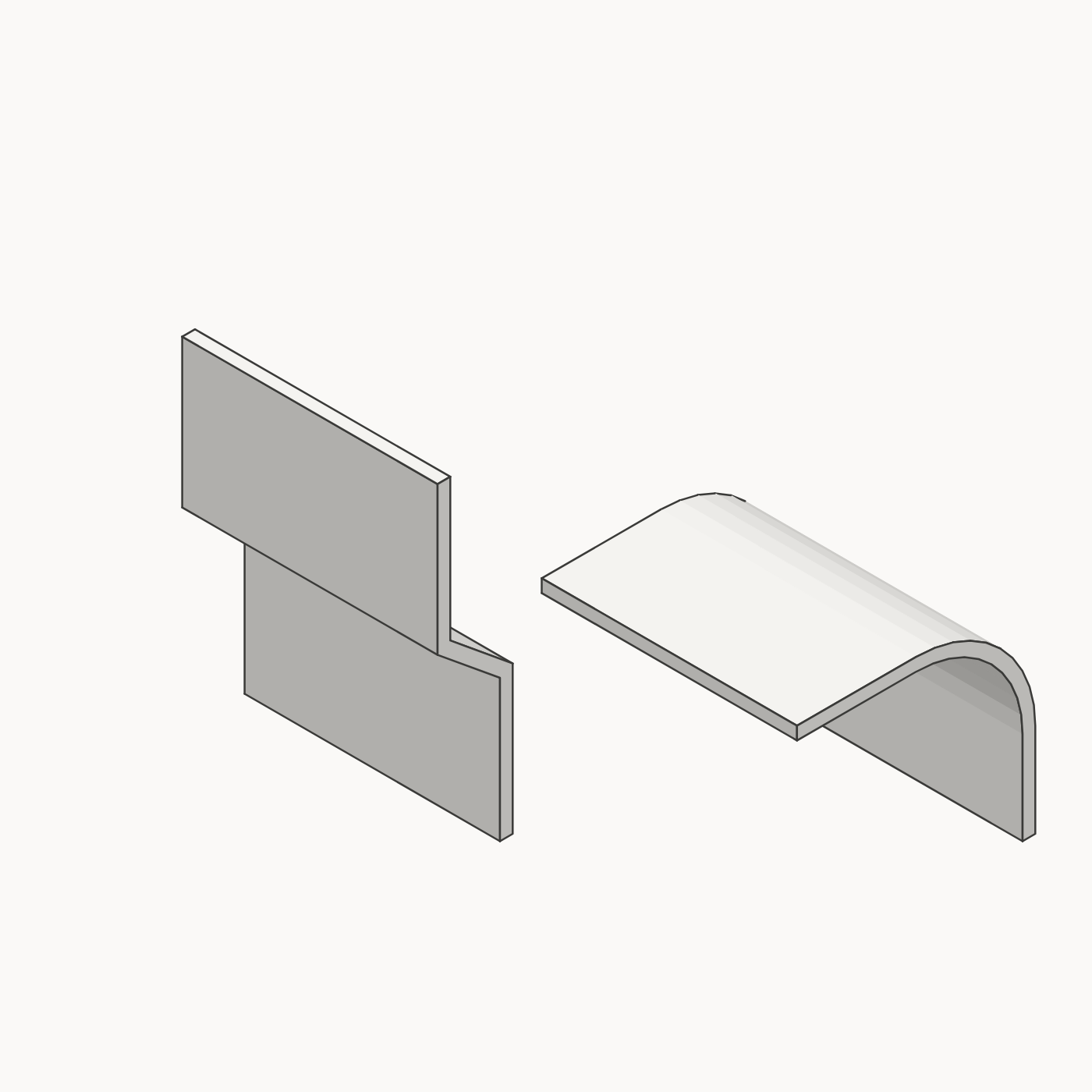
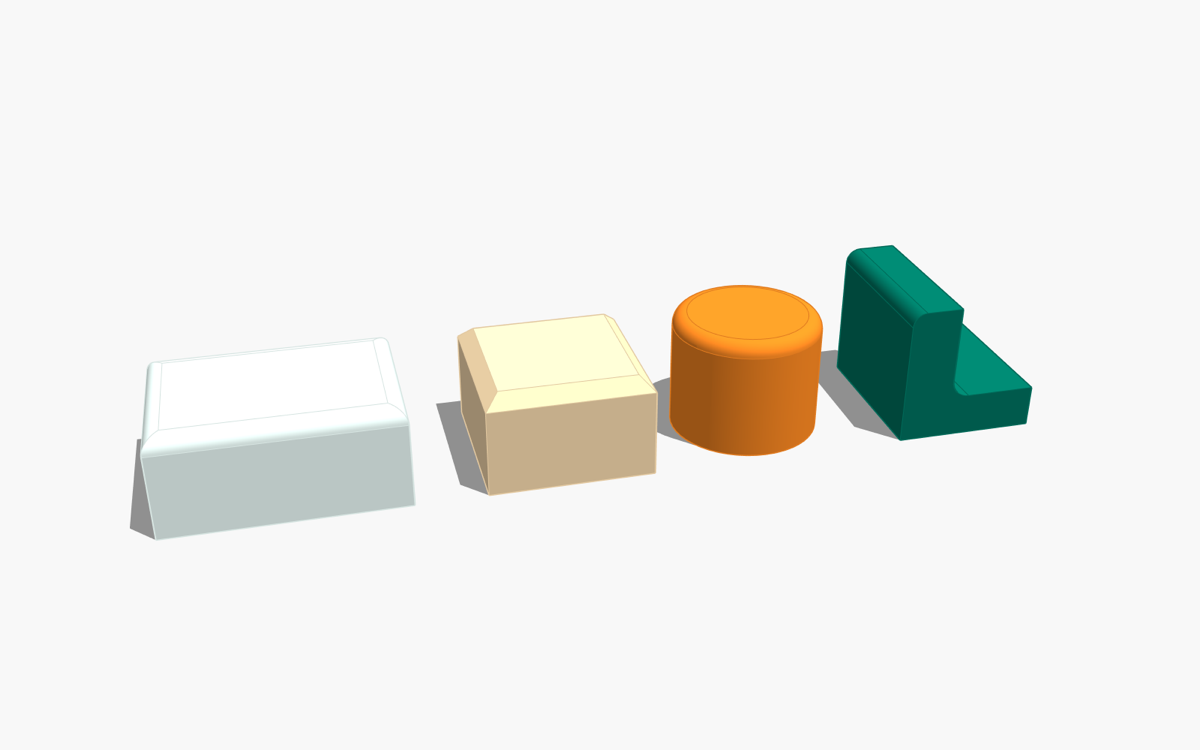
Select a flat shape or some lines, give a thickness, and get a separate solid group. A face, or a group or component whose faces all lie in one plane, becomes a panel of the thickness you choose. Connected lines, open or closed, straight or arcs, are given a thickness and pulled to the length you choose. Holes are filled, because a flat shape uses its outer outline only. Sharp bends stay sharp, and only real curves are smoothed. Each selected shape or chain of lines gets its own group, next to the original.
Output
Free. Made and used on SketchUp 2026 for macOS, and not yet tested on Windows or older SketchUp versions. In SketchUp: Extensions › Extension Manager › Install Extension… and choose the .rbz. Run it from Extensions › Solid Panel…, the toolbar button, or the right-click menu. Your original stays where it is unless you choose to remove it, and one Undo takes the panel away.
freewaresketchup2026
Quick Dimension
Problem
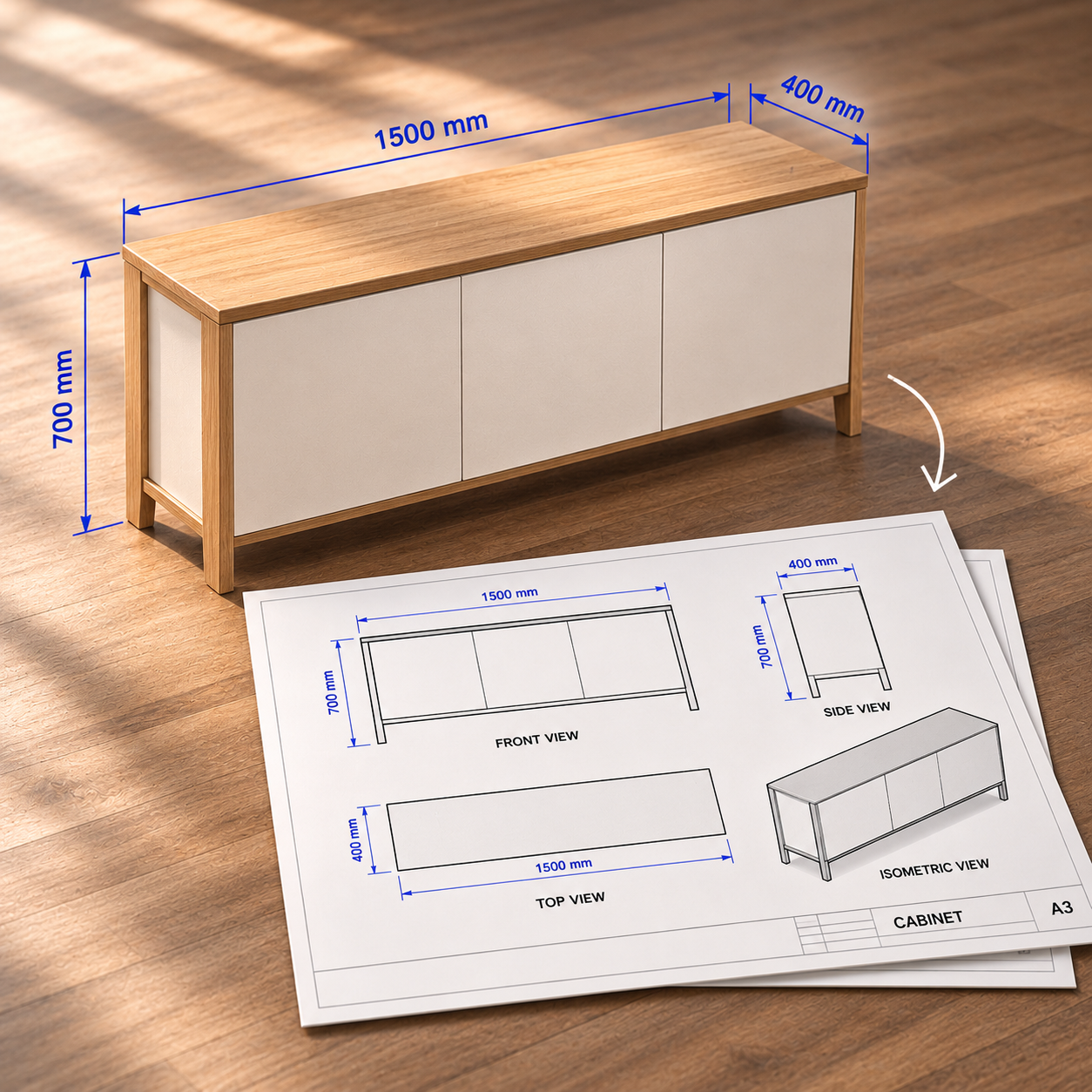
Checking a size in SketchUp usually means adding dimensions to the model, and a full drawing means setting up every view and dimension by hand.
Approach
Quick Dimension does two jobs. On screen, click any object or face and read its size straight away, with nothing added to the model. Overall Dimension reads the outermost group or the whole selection. Object / Face Dimension reads what you click. All Dimensions shows them together.
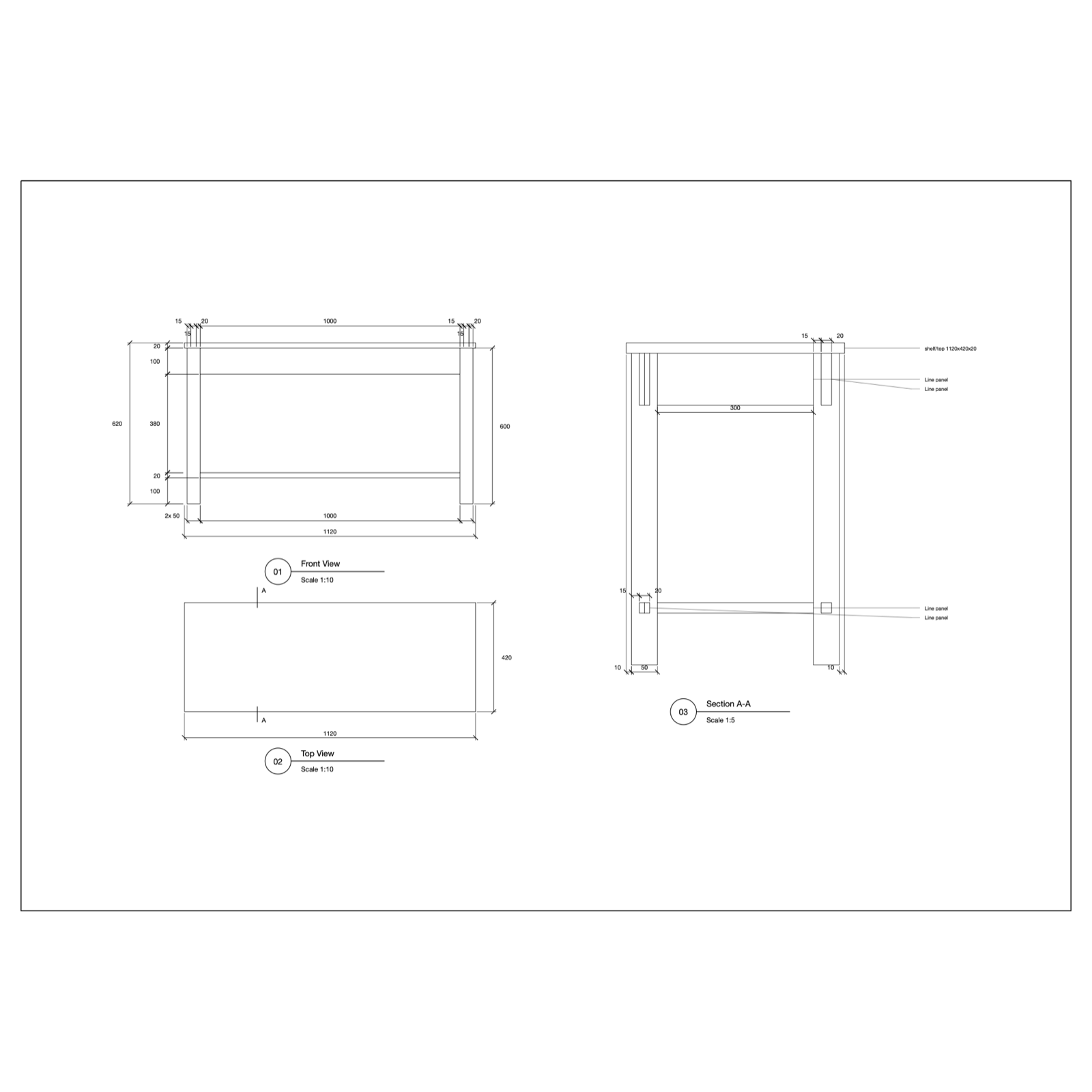
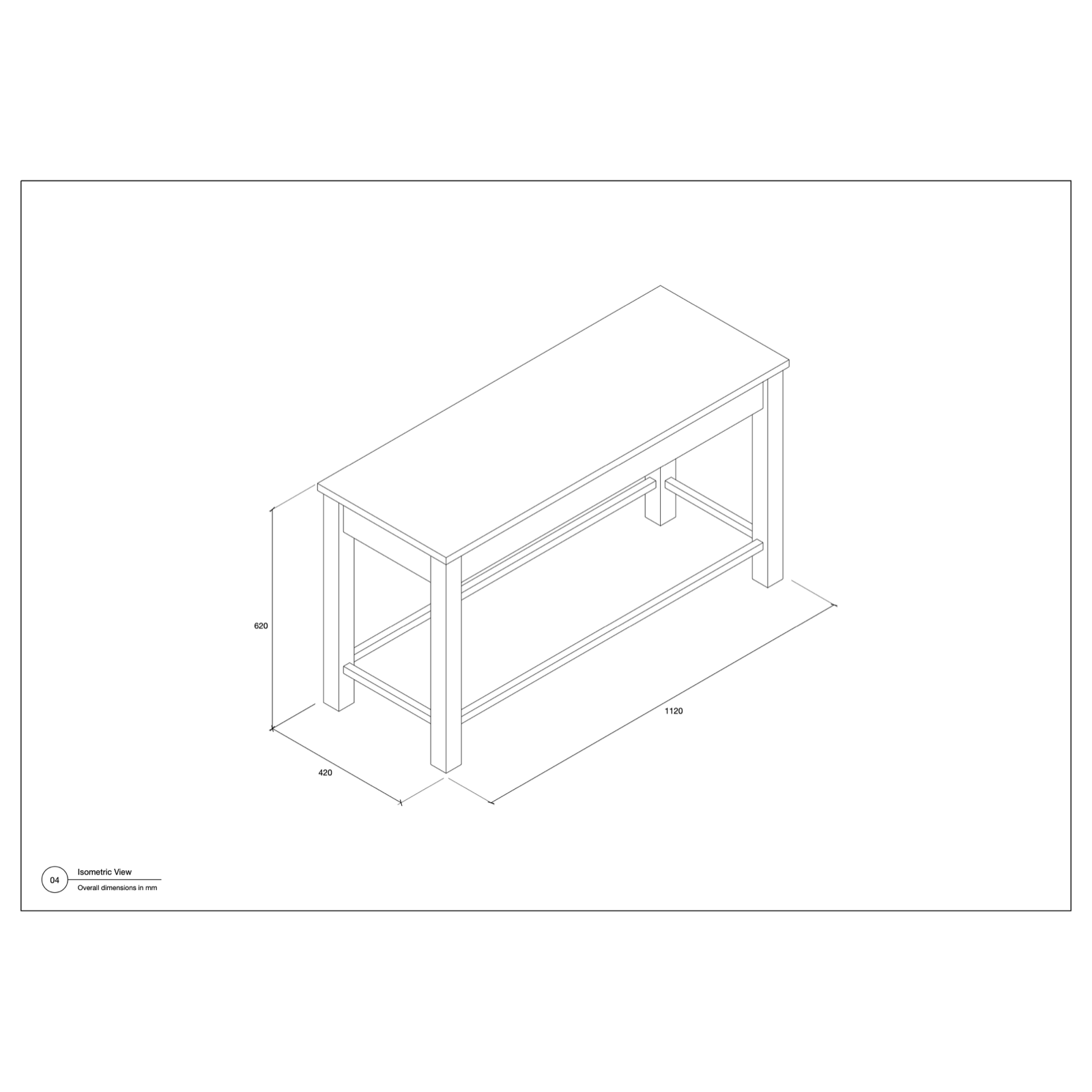
On paper, select your objects and Generate A3 Sheet builds a two-page drawing: front, top and section views with dimensions, then a large isometric with overall sizes. The scale is chosen for you, repeated parts are labelled once, and tilted panels show their true length and angle. All the work happens in a temporary copy, so the model stays untouched.
Output
Free for SketchUp 2021 and newer. Generate A3 Sheet currently runs on macOS only, and has been tested on SketchUp 2026 desktop. The sheet is ready to print as a PDF or to edit in LayOut. In SketchUp: Extensions › Extension Manager › Install Extension… and choose the .rbz. Press Esc to clear a measurement, and Space to leave the tool.
freewaresketchup2026
Zone Stretch
Problem
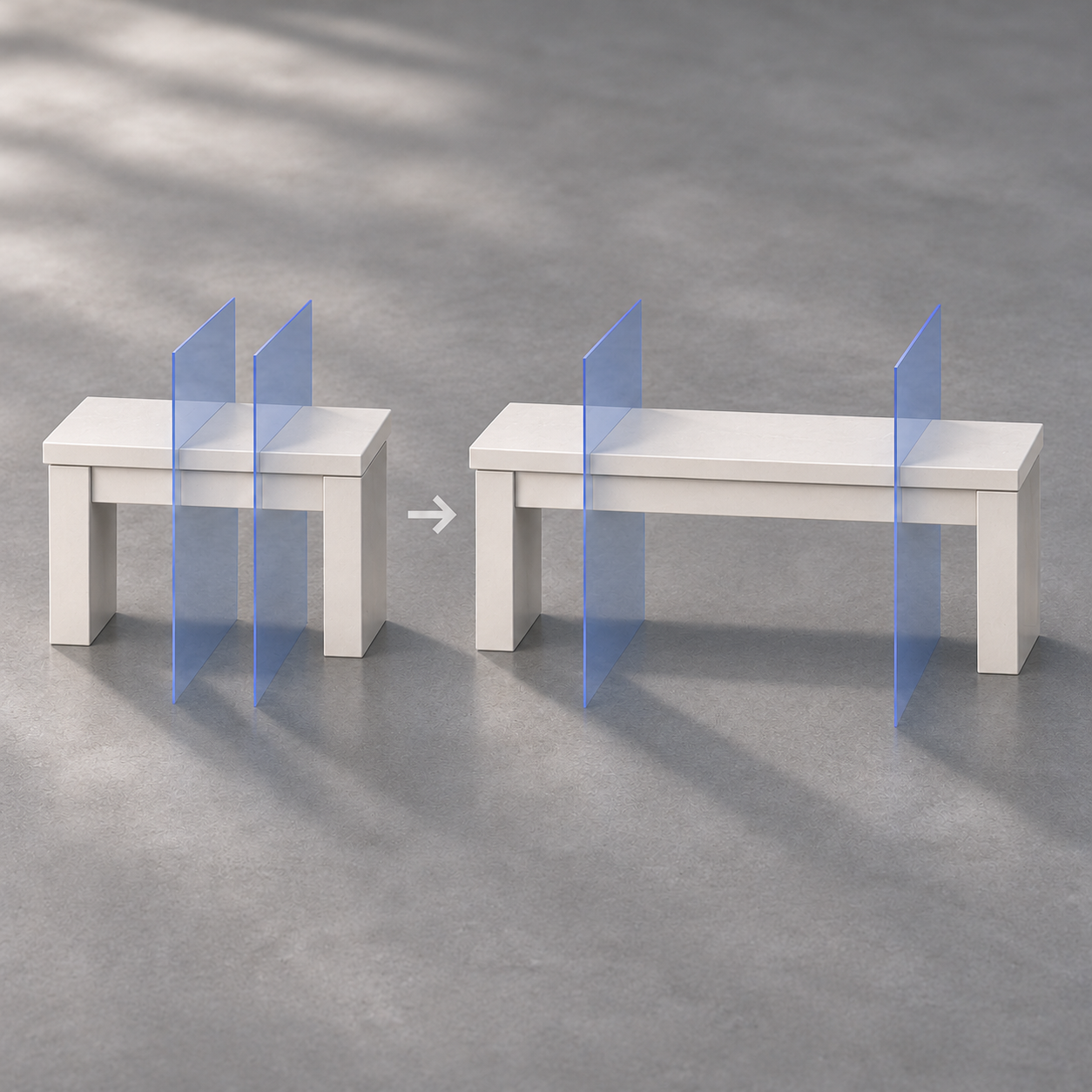
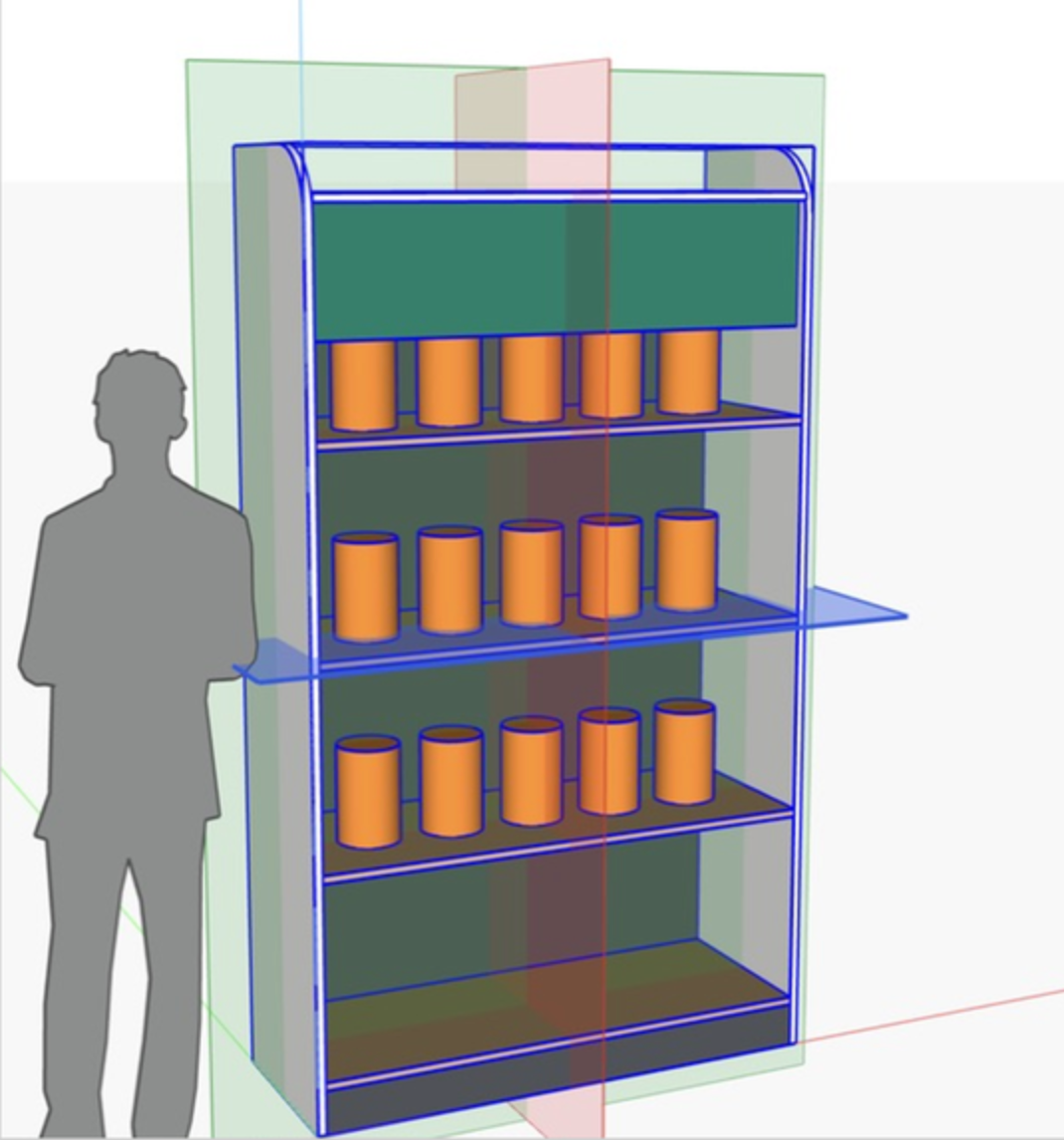
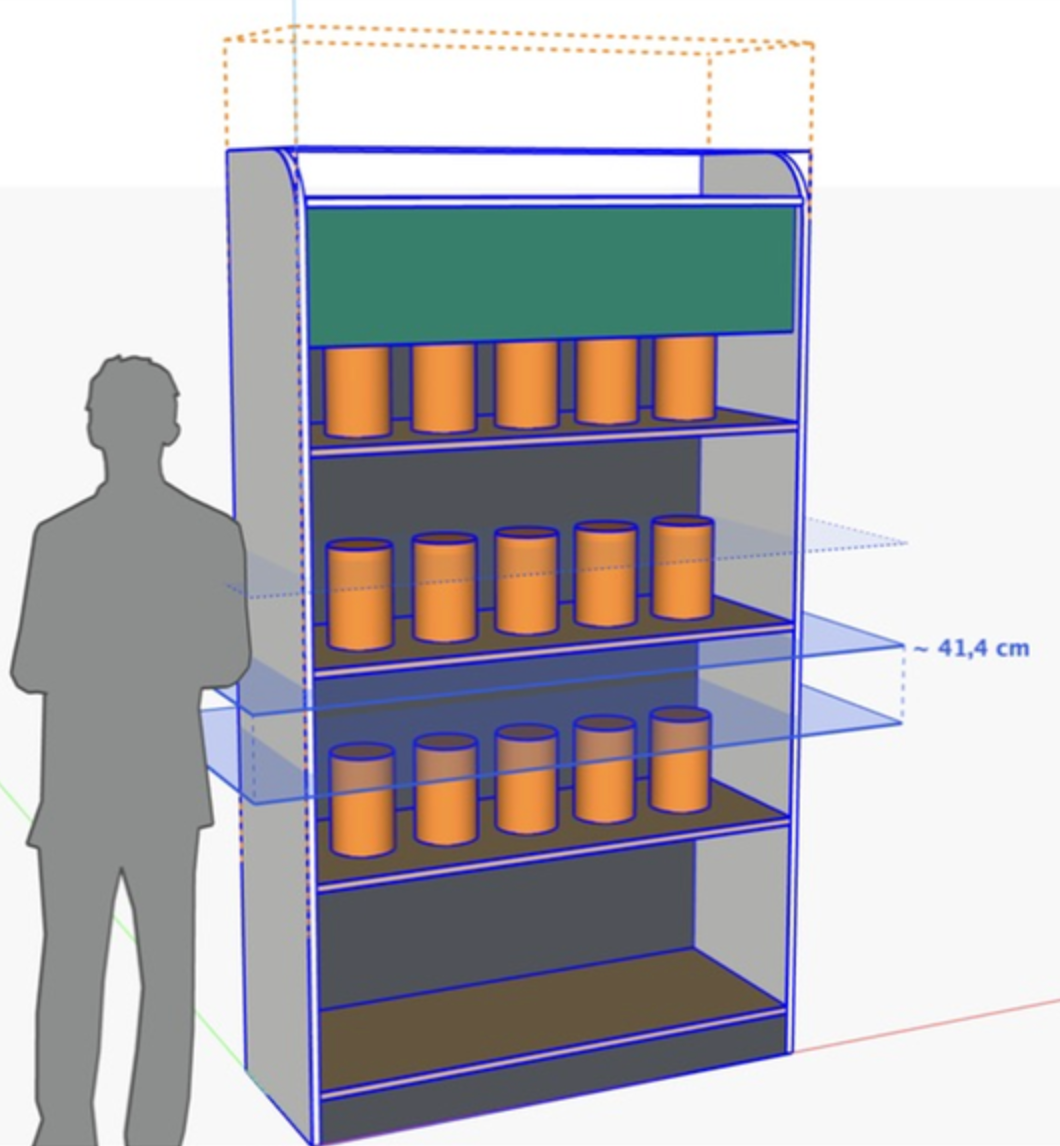
Make one part of a model longer or shorter — only between two limit planes — while everything outside keeps its exact shape. Pick a direction (red, green or blue plane), click limits A and B, then type the new length (480), a change (+200) or a shrink (-100). Works deep inside nested groups and components without exploding them; shared components stay shared.
Approach
Built a single-click tool that identifies stretch zones and applies uniform scaling while preserving detail areas.
Output
Stretch a Zone, Not the Whole Model.
Zone Stretch introduces a more controlled way to modify geometry. Instead of scaling an entire object, you define two limit planes and adjust only the area between them. The extension works with nested groups and components without requiring you to explode them. Shared components retain their shared definitions, keeping the model organized.
freewaresketchup2026
MapEasy
Problem
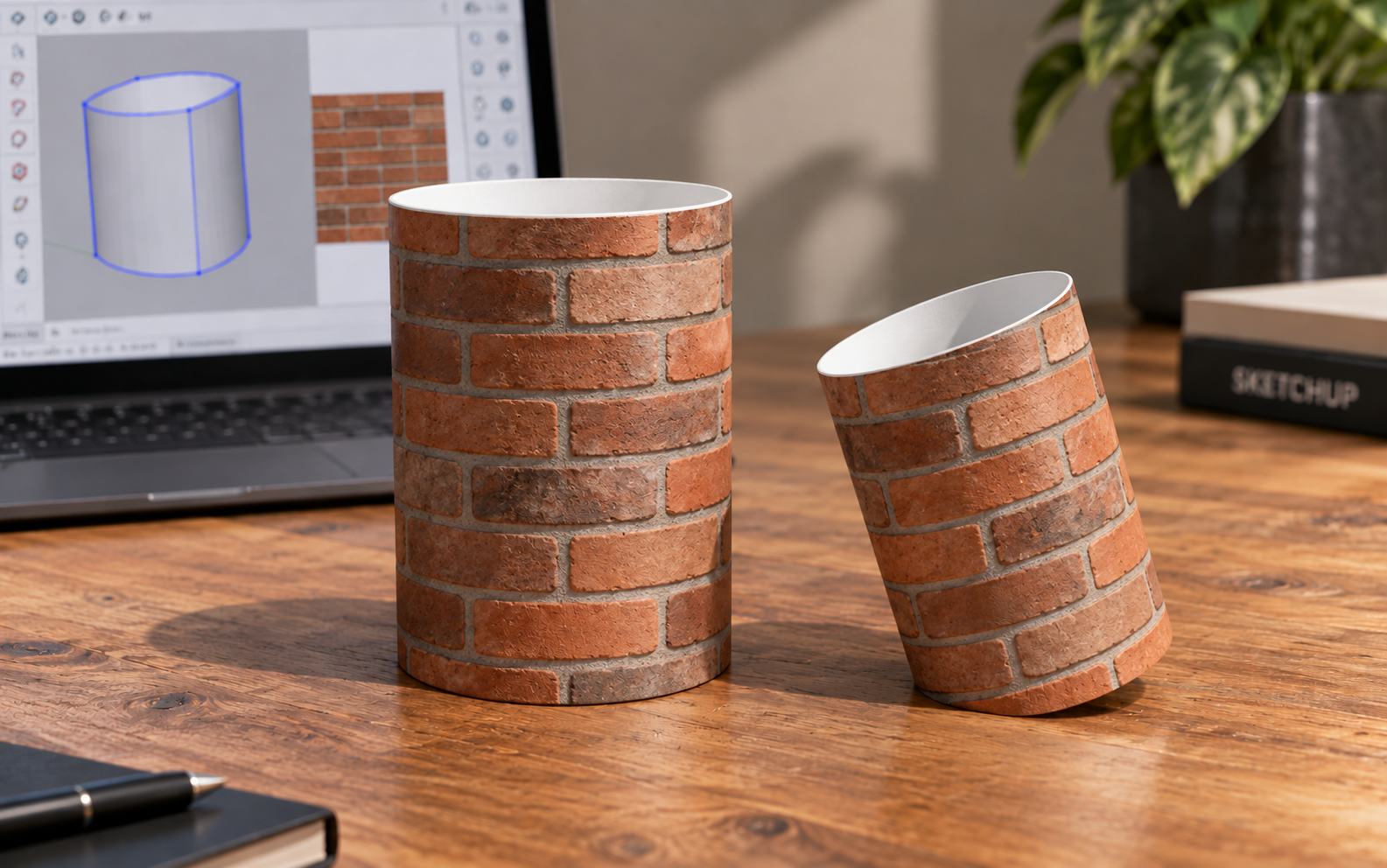
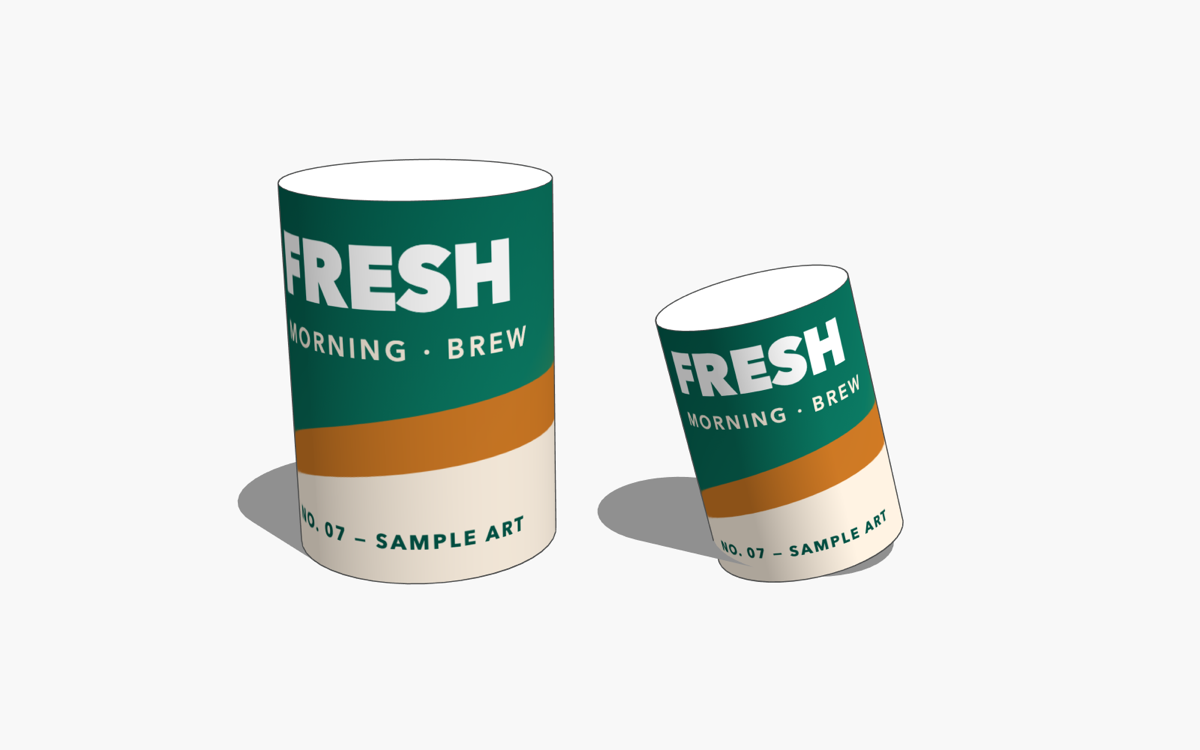
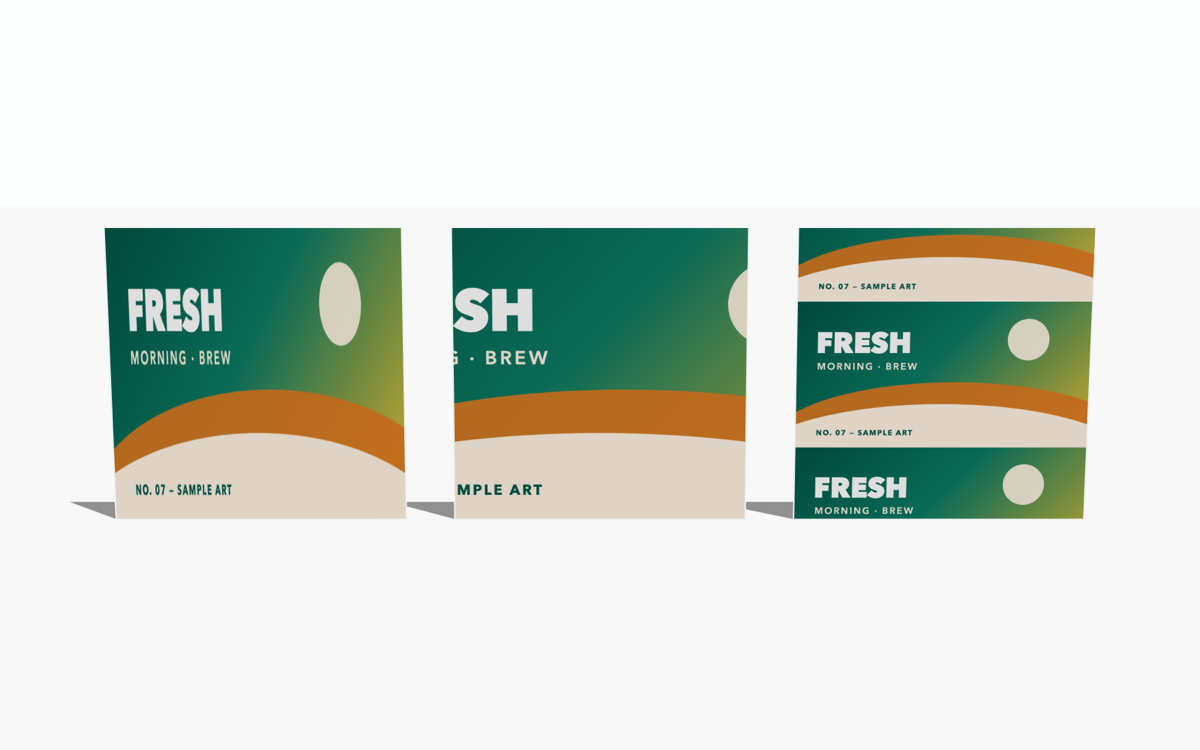
Fitting a texture to a cylinder, or across faces that fold around a corner, usually means placing the image by hand on every face.
Approach
MapEasy maps in two moves. Cylinder Wrap wraps an image around any cylinder and finds the axis itself. Face Fill fits an image to the selected faces: Stretch, Cover, or Contain, on one face or spanned across folds and corners. Version 1.1 uses an English interface.
Output
Free for SketchUp 2021 and newer, on Windows and macOS. Install the .rbz from Extension Manager. If the image lands on the back of a face, Reverse Faces and run Face Fill again. The built-in tutorial is under Extensions › MapEasy › About… › Open Tutorial.
freewaresketchup2026
Simple Bevel
Problem
Rounding or chamfering an edge in SketchUp gets awkward once the corner turns inside, or once several edges connect and need a mitre.
Approach
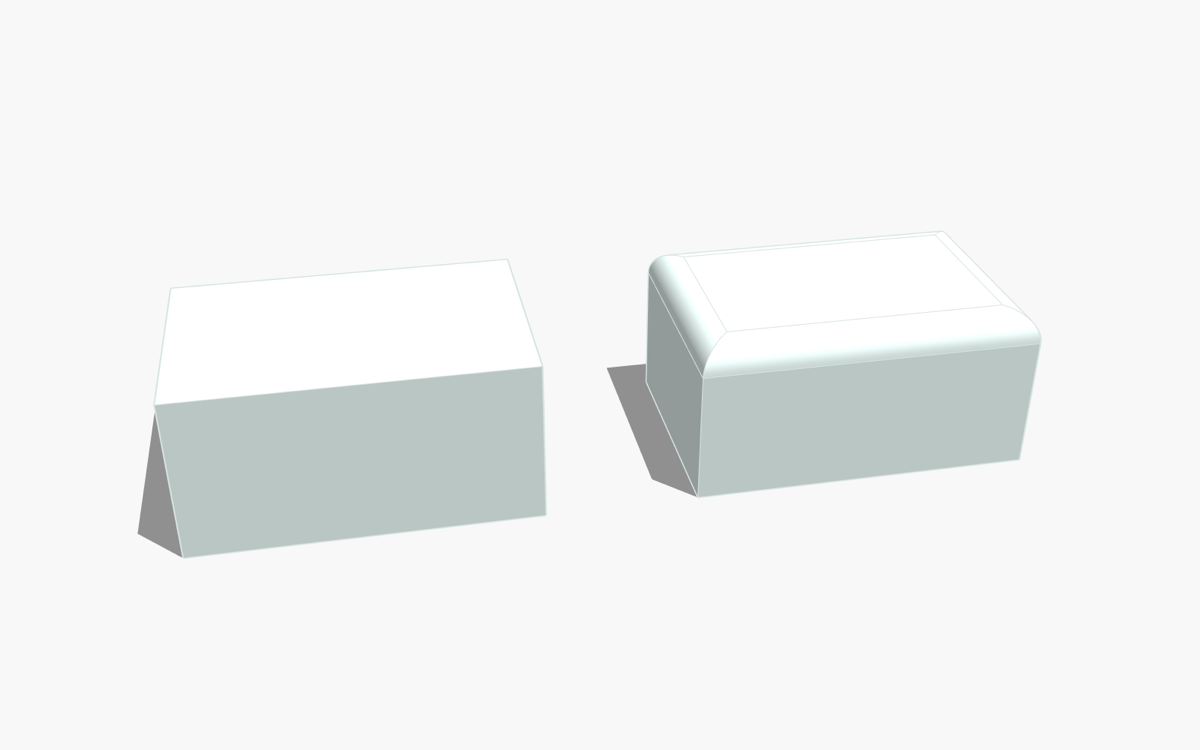
Simple Bevel does the selected edge in one step. A positive radius fillets. A negative radius chamfers. It covers outside and inside corners, and chains of connected edges with mitre joints. Pick Edge Chain selects a run of edges. Flat faces get a 2D corner fillet or chamfer. Version 1.5 uses an English interface.
Output
Free for SketchUp 2021 and newer, on Windows and macOS. In SketchUp: Extensions › Extension Manager › Install Extension… and choose the .rbz. The toolbar appears on its own. The built-in tutorial is under Extensions › Simple Bevel › About… › Open Tutorial.
freewarexteink2026
Al-Qur'an Indonesia untuk Xteink X4 Pro
Problem
Pada saat proyek ini dibuat, saya tidak menemukan koleksi Al-Qur'an Bahasa Indonesia berformat .xtc untuk Xteink X4 Pro yang sekaligus memuat teks Arab, transliterasi Latin, terjemahan Bahasa Indonesia, sumber data yang jelas, dan tata letak yang nyaman dibaca pada layar e-paper kecil.
Approach
Data diambil dari EQuran.id API v2. Dokumentasi EQuran.id menyebut sumbernya Kementerian Agama Republik Indonesia: nomor surah, nama Latin, nama Arab, arti, jumlah ayat, tempat turun, teks Arab, transliterasi, dan terjemahan Bahasa Indonesia.
Alurnya: pengambilan data surah, normalisasi, penyusunan layout per ayat, pagination sesuai ukuran layar, preview, lalu ekspor ke .xtc.
Generator dibuat sebagai halaman web agar penyusunan dan pemeriksaan visual bisa cepat — daftar surah, metadata, dan preview halaman sebelum diekspor. Teks Arab mendapat prioritas visual. Arab, transliterasi, dan terjemahan satu ayat tetap satu unit. Pagination dinamis: tinggi konten dihitung apa adanya, jadi ayat panjang tidak diperkecil agar muat.
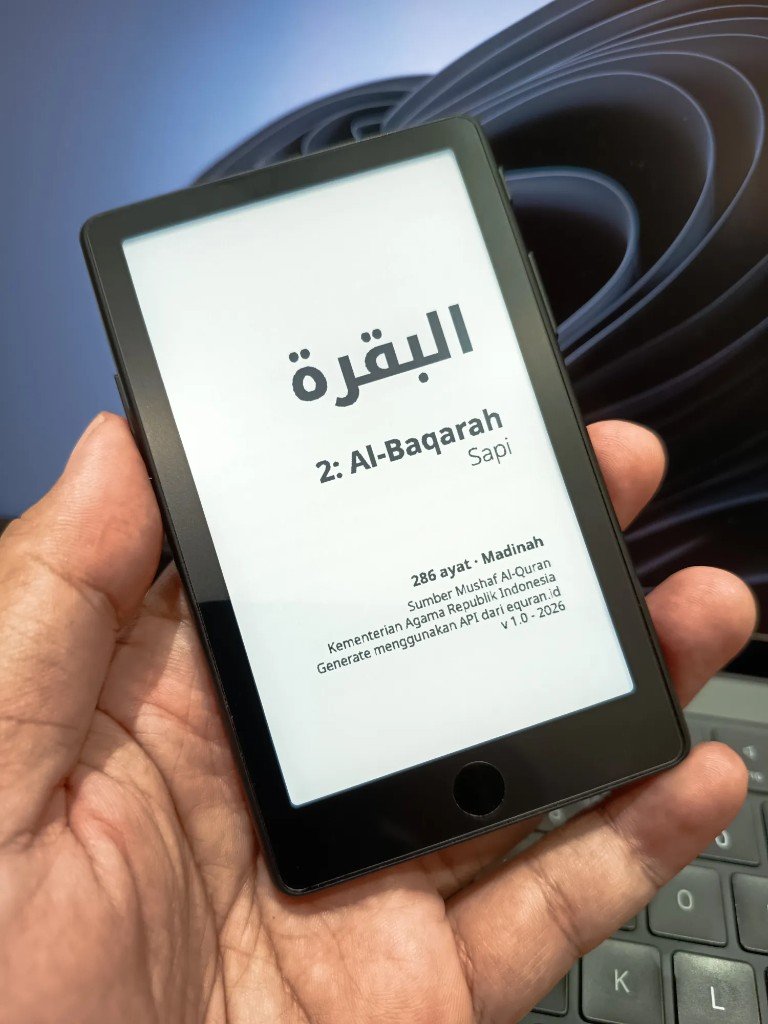
Setiap surah diawali sampul (nama Arab, nomor, arti, jumlah ayat, tempat turun, sumber data, versi generator) dan diakhiri halaman penutup. Satu surah, satu file, supaya yang dibutuhkan saja yang disalin, dan koreksi satu surah tidak memakai ulang seluruh koleksi.
Sebelum ekspor, data dicek: 114 surah, 6.236 ayat, sesuai jumlah ayat per surah. Setiap halaman diperiksa lewat preview.
Output
114 surah dalam format .xtc untuk Xteink X4 Pro, 480 × 800. Teks Arab, transliterasi Latin, terjemahan Bahasa Indonesia, sampul, dan pagination. Gratis, dan tidak untuk diperjualbelikan.
Bukan proyek resmi Xteink, EQuran.id, maupun Kementerian Agama Republik Indonesia. Penamaan file: 001-Al-Fatihah.xtc sampai 114-An-Nas.xtc.
Unduh v1.0 — ZIP lengkap atau per surah
Koleksi 114 file siap salin, tanpa menjalankan generator dapat di download pada link berikut :
Koleksi XTC v1.0
Generator halaman-halaman xteink, sudah dilengkapi versi epub juga :
Generator v4.1
Generator yang saya gunakan untuk menggenerate koleksi v1.0.
Generator awal
Git hub :
Changelog · Atribusi · Lisensi · Disclaimer